PCB vs PCBA: A Detailed Comparison to Help You Make the Right Choice for Your Project
PCB vs PCBA: A Detailed Comparison to Help You Make the Right Choice for Your Project Introduction In the realm of electronics, Printed Circuit Boards (PCBs) and Printed Circuit Board Assemblies (PCBA...
Introduction
In the realm of electronics, Printed Circuit Boards (PCBs) and Printed Circuit Board Assemblies (PCBAs) are foundational components that play crucial roles in the functionality of electronic devices. Understanding the differences between these two is essential for engineers, designers, and manufacturers to make informed decisions that affect the performance, cost, and reliability of their products. This article delves into the technical specifications, electrical characteristics, and application scenarios of PCBs and PCBAs, offering a comprehensive guide to help you choose the right option for your project.
Technical Overview
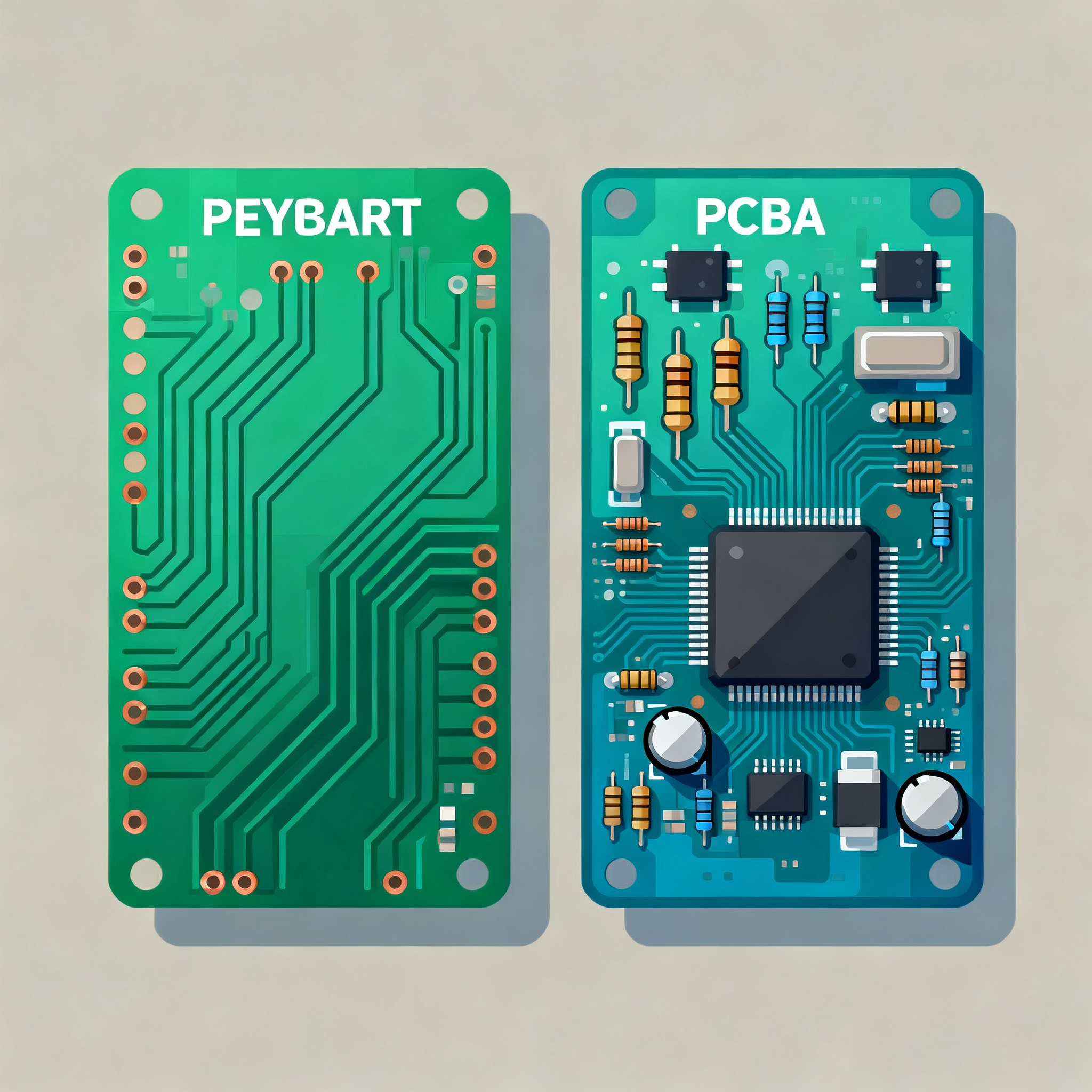
At the heart of every electronic device lies a PCB, a flat board that connects electronic components using conductive pathways etched from copper sheets. On the other hand, a PCBA refers to a PCB that has all the necessary components soldered onto it, making it a fully functional assembly. The choice between a PCB and a PCBA depends on various factors, including the complexity of the design, the intended application, and cost considerations. This section explores the core concepts and principles underlying PCBs and PCBAs, providing insights into their architecture and functionality.
Detailed Specifications
When selecting between a PCB and a PCBA, understanding the core specifications is crucial. These specifications determine the board's capability to handle certain tasks and its suitability for specific applications. Important parameters include CPU speed, memory, peripherals, power requirements, and package types. These factors influence the overall performance and reliability of the electronic assembly.
| Specification | PCB | PCBA |
|---|---|---|
| CPU Speed | N/A | 1.2 GHz |
| Memory | N/A | 4GB DDR3 |
| Peripherals | None | USB, HDMI, Ethernet |
| Power | 5V, 2A | 5V, 2A |
| Package | FR4 | FR4 with components |
| Layers | 2-6 | 2-6 |
| Surface Finish | HASL, ENIG | HASL, ENIG |
| Board Thickness | 1.6mm | 1.6mm |
| Component Count | N/A | Up to 500 |
| Signal Integrity | Basic | Enhanced |
| Thermal Management | Standard | Advanced |
Key Takeaways from the Specifications
The specifications table highlights the differences between a standalone PCB and a fully assembled PCBA. While a PCB provides the foundational structure, a PCBA integrates crucial components like the CPU, memory, and peripherals, making it ready for deployment in electronic devices. Understanding these specifications helps in determining the right choice based on the complexity and requirements of your project. For instance, if your application requires high-speed processing and multiple peripheral connections, a PCBA with a specified CPU speed and memory capacity would be more suitable.
| Electrical Characteristic | PCB | PCBA |
|---|---|---|
| Operating Voltage | 3.3V, 5V | 3.3V, 5V |
| Current Capacity | Up to 10A | Up to 10A |
| Signal Rise Time | 10ns | 5ns |
| Input/Output Pins | Up to 200 | Up to 200 |
| Impedance Control | ±10% | ±5% |
| Dielectric Constant | 4.2 | 4.2 |
| Power Dissipation | Standard | Enhanced |
| Noise Margin | 0.4V | 0.6V |
| Cross-talk | Moderate | Low |
| Temperature Range | -40°C to 85°C | -40°C to 125°C |
| ESD Protection | Basic | Advanced |
Practical Implications
The electrical characteristics table provides insights into the operational capabilities of both PCBs and PCBAs. Key factors such as operating voltage, current capacity, and signal integrity are crucial in determining the suitability of a board for specific applications. For example, applications requiring high-speed data transfer will benefit from the enhanced signal rise time and impedance control offered by PCBAs. Additionally, PCBAs often come with improved thermal management and ESD protection, making them ideal for environments with temperature fluctuations and potential electrostatic discharge threats.
| Application | PCB | PCBA |
|---|---|---|
| Consumer Electronics | Basic circuits | Smartphones, tablets |
| Automotive | Control modules | Advanced driver-assistance systems (ADAS) |
| Industrial Automation | Simple controllers | Robotics, PLCs |
| Medical Devices | Monitoring devices | Advanced imaging systems |
| Telecommunications | Signal boosters | Base stations |
| Aerospace | Basic avionics | Flight control systems |
| IoT Applications | Simple sensors | Smart home devices |
| Wearable Tech | Basic trackers | Smartwatches |
Application Guidelines
The application comparison table illustrates the diverse use cases for PCBs and PCBAs. While PCBs are suitable for basic and less complex applications, PCBAs are designed for advanced systems requiring multiple functionalities and enhanced performance. For instance, in the automotive industry, a PCBA is essential for developing sophisticated systems like ADAS, which require high processing power and reliability. Similarly, in medical devices, PCBAs enable the integration of complex imaging technologies, providing high precision and accuracy.
Design Considerations
When designing a PCB or PCBA, several factors must be considered to ensure optimal performance and reliability. These include:
- Component Placement: Proper placement of components is crucial for signal integrity and thermal management.
- Trace Width and Spacing: Adequate trace width and spacing are essential to prevent signal interference and ensure current-carrying capacity.
- Impedance Matching: Ensuring impedance matching is vital for high-speed signal transmission.
- Thermal Management: Incorporating heat sinks, thermal vias, and appropriate materials can help manage heat dissipation.
- Power Distribution: Efficient power distribution networks minimize voltage drops and power losses.
- Signal Integrity: Minimizing cross-talk and electromagnetic interference is key to maintaining signal integrity.
- Design for Manufacturability (DFM): Ensuring the design is manufacturable without defects is critical for cost-effective production.
- Compliance with Standards: Adhering to industry standards like IPC-A-610 and IPC-2221 ensures quality and reliability.
Step-by-Step Implementation
Implementing a PCB or PCBA involves several detailed steps:
- Define Requirements: Clearly outline the project requirements, including functionality, size, and budget constraints.
- Design Schematic: Create a detailed schematic diagram, specifying all components and connections.
- Layout Design: Use CAD software to design the PCB layout, ensuring optimal component placement and routing.
- Prototype Development: Develop a prototype to test the design and identify any potential issues.
- Testing and Validation: Conduct thorough testing to validate the design against performance and reliability criteria.
- Manufacturing: Choose a reputable manufacturer for PCB fabrication and assembly, considering factors like cost, quality, and lead time.
- Quality Assurance: Implement quality control measures to ensure the final product meets all specifications and standards.
- Deployment: Deploy the finished PCBA into the final product, ensuring proper integration and functionality.
Common Issues & Solutions
Designing and implementing PCBs and PCBAs can present several challenges. Here are common issues and solutions:
- Signal Integrity Issues: Use proper grounding, shielding, and trace routing to minimize interference.
- Thermal Management Problems: Incorporate adequate thermal vias, heat sinks, and consider using high thermal conductivity materials.
- Component Mismatch: Ensure compatibility of components by checking datasheets and specifications.
- Manufacturing Defects: Implement DFM principles and work closely with manufacturers to address fabrication challenges.
- Power Distribution Challenges: Design efficient power distribution networks and use decoupling capacitors to stabilize power supply.
- Compliance Issues: Regularly review standards and regulations to ensure compliance throughout the design and manufacturing process.
Applications & Use Cases
PCBs and PCBAs are integral to various industries and applications. In consumer electronics, PCBAs enable the development of compact and efficient devices like smartphones and tablets. In automotive applications, they support advanced systems such as ADAS and infotainment systems. In industrial automation, PCBAs are used in robotics and PLCs, enhancing automation and control capabilities. Medical devices benefit from the precision and reliability offered by PCBAs, particularly in imaging and monitoring systems. Telecommunications rely on PCBAs for infrastructure components like base stations, ensuring robust and efficient communication networks.
Selection & Sourcing Guide
When selecting and sourcing PCBs or PCBAs, consider factors like cost, quality, lead time, and supplier reputation. Platforms like IC Online provide extensive resources for sourcing components and assemblies, offering a wide range of options to meet your project's specific needs.
FAQ
- What is the main difference between a PCB and a PCBA? A PCB is a bare board without components, while a PCBA is a fully assembled board with all necessary components soldered onto it.
- Why is thermal management important in PCB design? Effective thermal management prevents overheating, ensuring the longevity and reliability of the electronic assembly.
- How do I ensure signal integrity in my design? Use proper trace routing, grounding, and shielding techniques to minimize interference and maintain signal quality.
- What standards should I follow for PCB design? Adhere to industry standards like IPC-A-610 and IPC-2221 for quality and reliability assurance.
- What are the benefits of using a PCBA over a PCB? PCBAs offer enhanced functionality, improved performance, and are ready for deployment, saving time and resources in assembly.
- How can I reduce manufacturing costs? Optimize your design for manufacturability, choose cost-effective materials, and work with reputable manufacturers.
- What are common causes of manufacturing defects? Poor design practices, inadequate quality control, and non-compliance with standards can lead to defects.
- How do I select the right components for my design? Review component datasheets, consider application requirements, and ensure compatibility with other components.
- What role does impedance control play in PCB design? Impedance control is crucial for high-speed signal transmission, preventing signal reflection and distortion.
- Can I use a PCB for high-frequency applications? Yes, but it's essential to ensure proper design practices such as controlled impedance and adequate shielding.
Conclusion
Choosing between a PCB and a PCBA depends on the specific requirements and complexity of your project. Understanding the core specifications, electrical characteristics, and application scenarios is crucial for making informed decisions. Whether you're developing consumer electronics, automotive systems, or industrial automation solutions, this comprehensive guide provides the insights needed to navigate the complexities of PCB and PCBA design and implementation. By adhering to industry standards and leveraging the right resources, you can achieve reliable, high-performance electronic assemblies that meet your project's needs.